
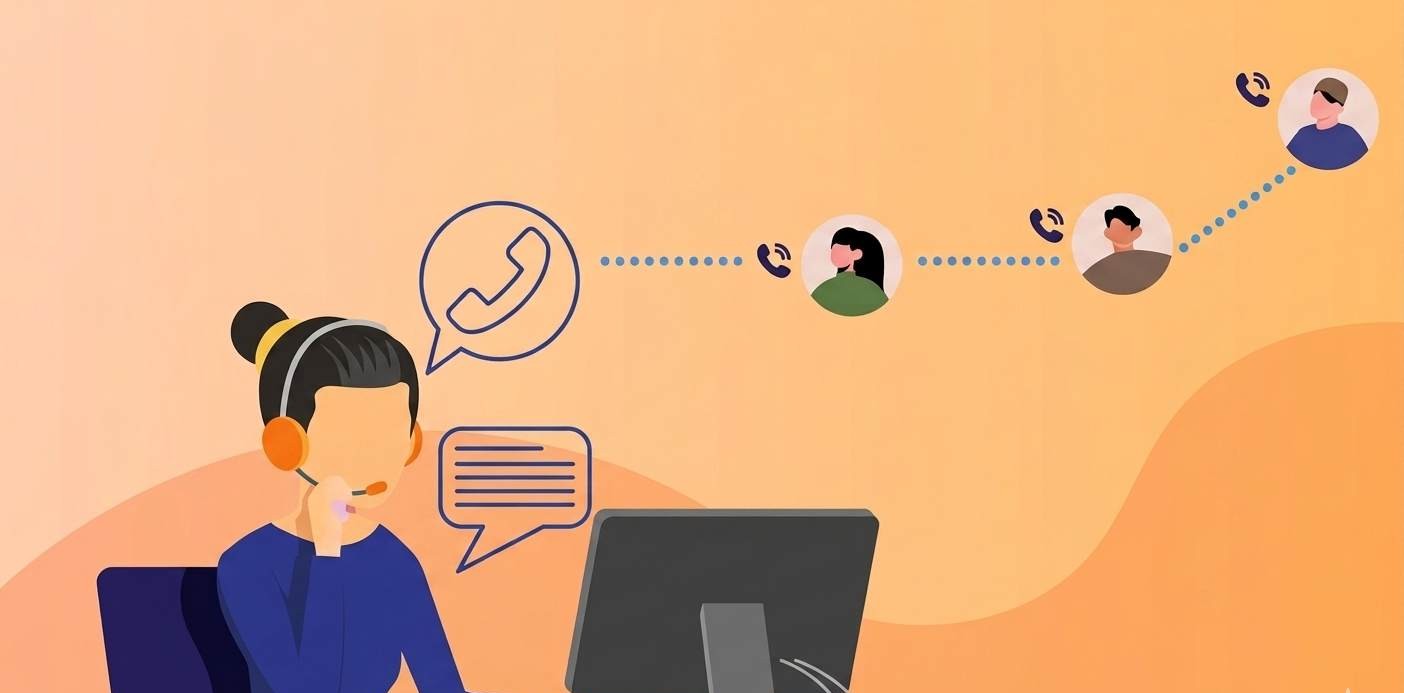
What Is an Auto Dialer?
An auto dialer is software that automatically dials phone numbers from a contact list so your agents do not have to do it manually. When someone answers the call, the system either connects them to a live agent or plays a pre-recorded message — depending on how you have set it up.
Instead of your sales team spending time punching numbers into a phone one by one, the auto dialer handles all of that automatically. Your agents only get connected when a real person picks up. Busy signals, unanswered calls, and voicemails are filtered out automatically.
The result is simple: your team spends more time talking to actual people and less time waiting, dialing, and repeating the same manual steps over and over again.
How Does an Auto Dialer Work?
Here is a simple step-by-step breakdown of what happens when an auto dialer runs:
Step 1 — Upload your contact list. You load a list of phone numbers into the system. This can come from your CRM, a spreadsheet, or a lead database.
Step 2 — The dialer starts calling automatically. The software begins dialing numbers from the list one after another — or multiple at once, depending on the dialing mode you choose.
Step 3 — It detects what happens on the other end. The system identifies whether the call was answered by a real person, went to voicemail, hit a busy signal, or reached a disconnected number.
Step 4 — Live calls go to your agents. When a real person answers, the call is instantly routed to an available agent. The agent does not wait — they are connected the moment someone picks up.
Step 5 — Unanswered calls are handled automatically. If a call goes to voicemail, the system can either drop a pre-recorded voicemail message or log the attempt and move on to the next number.
Step 6 — Data is recorded. Every call — answered, missed, or voicemailed — is logged automatically. You get a full record of what happened, when it happened, and how long each call lasted.
This entire process runs continuously without your agents having to do anything between calls. As soon as one call ends, the next one is queued up.
Types of Auto Dialers
Not all auto dialers work the same way. Different businesses have different needs, and the type of dialer you use will depend on how many calls you need to make, how personalized your outreach needs to be, and how large your team is.
Here are the four main types:
Power Dialer
A power dialer calls one number at a time and moves to the next number the moment an agent finishes a call. It keeps a steady, consistent pace without overwhelming your team. This is a good choice for small and medium-sized sales teams that want more control over their calls without dialing manually.
DialOnCloud uses a power dialer model, which works very well for growing businesses, SMEs, and sales teams that make a high volume of outbound calls every day.
Predictive Dialer
A predictive dialer dials multiple numbers at the same time using an algorithm that predicts when agents will become free. It is designed for very high call volumes. The downside is that sometimes a customer picks up but no agent is available yet, which can lead to a dropped call or a short delay.
This mode works best for large call centers running mass outreach campaigns.
Preview Dialer
Before each call is made, the agent gets to see the customer’s information on their screen. They review it, then choose to dial or skip. This is slower than other modes but allows for much more personalized conversations. It works well for complex sales or high-value clients where preparation matters.
Progressive Dialer
A progressive dialer automatically dials the next number as soon as an agent becomes available — similar to a power dialer, but with slightly more automation built in. It balances speed and control and is a good middle ground for mid-sized teams.
Why Manual Dialing Is Costing Your Business
If your sales team is still dialing numbers by hand, you are losing time and money every single day without realizing it.
Think about what manual dialing actually involves. Your agent looks up a number, dials it, waits for it to ring, gets a voicemail, hangs up, looks up the next number, and starts again. Studies show that sales agents who dial manually average only 10 to 15 minutes of actual talk time per hour. Everything else is dead time — ringing, waiting, and redialing.
With an auto dialer, that same agent can reach 40 to 50 minutes of talk time per hour. That is three times more conversations happening every single day without adding a single person to your team.
For a small business or growing SME, that difference is enormous. More conversations mean more opportunities. More opportunities mean more sales.
Key Benefits of Using an Auto Dialer for Your Business
More Calls, More Conversations
The most obvious benefit is speed. Your team makes far more calls in a day than they ever could manually. Every hour of the working day is used efficiently because the dialer never stops working.
Agents Focus Only on Real Conversations
Your agents do not waste energy on busy signals and voicemails. They are only connected when a real person answers. This keeps energy levels up and focus sharp throughout the day.
No More Human Error in Dialing
Manual dialing leads to mistakes — wrong numbers, skipped contacts, duplicate calls. An auto dialer eliminates all of that by working from a clean, organized list and logging every outcome automatically.
Instant Access to Lead Information
When a call connects, the agent’s screen can show the customer’s name, history, and relevant notes pulled from your CRM or lead management system. The agent walks into every conversation prepared, not surprised.
Full Call Recording for Training and Quality
Every call is recorded automatically. Sales managers can listen back, identify where agents are struggling, and use real calls for training sessions. This alone can significantly improve conversion rates over time.
Detailed Reports and Analytics
At the end of every campaign or working day, you get clear data — how many calls were made, how many connected, how long calls lasted, and how each agent performed. This takes the guesswork out of managing your team.
Scale Without Adding Headcount
As your business grows, you do not need to hire five more agents to make five times more calls. You can scale your outreach significantly by simply running your auto dialer more efficiently.
Who Should Use an Auto Dialer?
An auto dialer is not just for large call centers. Any business that makes outbound calls regularly can benefit from one. Here are the most common use cases:
Sales teams that need to work through large lead lists quickly and efficiently. Instead of spending half the day dialing, agents spend their time actually selling.
Real estate agencies that follow up with buyers, sellers, and new inquiries. In real estate, speed to lead is everything — an auto dialer makes sure no prospect waits too long for a callback.
Healthcare providers that need to send appointment reminders, follow up with patients, or run outreach campaigns. This reduces no-shows and keeps patient communication consistent.
Marketing agencies running outbound campaigns on behalf of clients. An auto dialer lets a small team handle a large volume of calls without burning out.
Small and medium businesses that want to grow their customer base without growing their payroll. The auto dialer does the heavy lifting so a lean team can punch above its weight.
What to Look for in an Auto Dialer
If you are shopping for an auto dialer for your business, here are the key things to check before you commit:
Call recording — Every serious auto dialer should record calls automatically. This is non-negotiable for training and quality assurance.
CRM integration — Your dialer should connect with your existing CRM or lead management system so data flows automatically between the two. No manual copying and pasting.
IVR compatibility — If you also handle inbound calls, having IVR (Interactive Voice Response) built into the same platform saves time and money.
Analytics and reporting — You need to see what is working and what is not. Clear dashboards with call data are essential.
SMS and email support — The best platforms let you follow up a call with an SMS or email from the same system, so your outreach stays consistent across channels.
Ease of use — If your team needs a week of training just to get started, that is a problem. Look for a platform with a clean interface and a quick onboarding process.
Scalability — Can the platform grow with you? As your team expands and your call volume increases, your auto dialer should handle that without requiring you to switch systems.
How DialOnCloud’s Auto Dialer Helps Your Business
DialOnCloud is built specifically for SMEs, sales teams, real estate agencies, healthcare providers, and marketing agencies that need to communicate with more customers without making their operations more complicated.
Here is what DialOnCloud brings to your outbound calling:
Auto Dialer with Smooth Call Flow DialOnCloud’s auto dialer keeps your team moving through contact lists without any manual effort. Agents are only connected when a real person answers, which means no wasted time and no dead air.
Built-in IVR Builder While most auto dialer tools are separate from your inbound call system, DialOnCloud combines both. You can build custom IVR menus using a drag-and-drop interface, so incoming calls are handled just as efficiently as outgoing ones.
Call Recording and Monitoring Every call your team makes through DialOnCloud is recorded automatically. Sales managers can listen back at any time to review performance, support agent development, and ensure quality stays high.
Lead Management Built In DialOnCloud is not just a dialer — it also includes a lead management system. You can track leads with statuses and dispositions, set follow-up reminders, and make sure nothing falls through the cracks after a call ends.
SMS and Email in the Same Platform After a call, your agent can follow up with a text message or an email without switching to a different tool. Everything — calls, SMS, and email — is managed from one dashboard.
Detailed Reports and Analytics DialOnCloud gives you clear reports on call volume, call duration, agent activity, campaign performance, and more. You always know exactly how your team is performing and where improvements can be made.
CRM Integration DialOnCloud connects with major CRM platforms including HubSpot, Zoho, and Salesforce. Call data, recordings, and lead updates sync automatically so your team never has to log anything manually.
Affordable Plans with a Free Trial Plans start at $29 per month, and DialOnCloud offers a two-month free trial so you can test everything before committing. No credit card required to get started.
How to Get Started with DialOnCloud’s Auto Dialer
Getting up and running with DialOnCloud is straightforward. Here is how it works:
Step 1 — Sign up for a free trial at dialoncloud.com. No credit card needed. Your account is ready in minutes.
Step 2 — Upload your contact list. Import your leads from a spreadsheet or connect your CRM directly to pull contacts in automatically.
Step 3 — Set up your call flow. Configure how you want calls handled — which agents receive them, what happens when someone does not answer, and whether you want a voicemail drop or an SMS follow-up.
Step 4 — Start your campaign. Hit go. The auto dialer begins working through your list immediately. Your agents only get connected when someone answers.
Step 5 — Monitor and optimize. Watch your analytics dashboard in real time. See which agents are performing, how many calls are connecting, and where your campaign can be improved.
Final Thoughts
An auto dialer is one of the most practical tools a sales team or customer-facing business can invest in. It removes the wasted time from outbound calling, keeps your agents focused on real conversations, and gives you the data you need to keep improving. For growing businesses, SMEs, and sales-driven teams, the difference between manual dialing and using an auto dialer is not small — it is the difference between reaching 30 prospects a day and reaching 90. DialOnCloud makes it easy to get started. With a built-in auto dialer, lead management, call recording, IVR, SMS, email, and full analytics — all in one platform.
Frequently Asked Questions
1.Is an auto dialer legal?
Yes, auto dialers are legal. However, you must follow local regulations around consent and do-not-call lists. Always make sure you have permission to contact the people on your list and comply with applicable telemarketing laws in your region.
2. How many more calls can an auto dialer help my team make?
On average, sales agents using an auto dialer can achieve 40 to 50 minutes of talk time per hour compared to just 10 to 15 minutes with manual dialing. That means your team can have roughly three times more real conversations in the same working day.
3. Can a small business use an auto dialer?
Absolutely. Auto dialers are not just for large call centers. Any business that makes outbound calls regularly — even a team of two or three people — can benefit from automating the dialing process. DialOnCloud is designed specifically with small and growing businesses in mind.
4. What is the difference between an auto dialer and a predictive dialer?
An auto dialer is the general term for any system that dials automatically. A predictive dialer is a specific type that dials multiple numbers at once using algorithms to predict agent availability. DialOnCloud uses a power dialer model, which dials one number at a time for a steadier, more controlled experience — better suited for most small and medium-sized teams.
5. How quickly can I get started with DialOnCloud?
Very quickly. Once you sign up, you can upload your contacts and start your first campaign the same day. The platform is designed for fast onboarding with no technical setup required.
